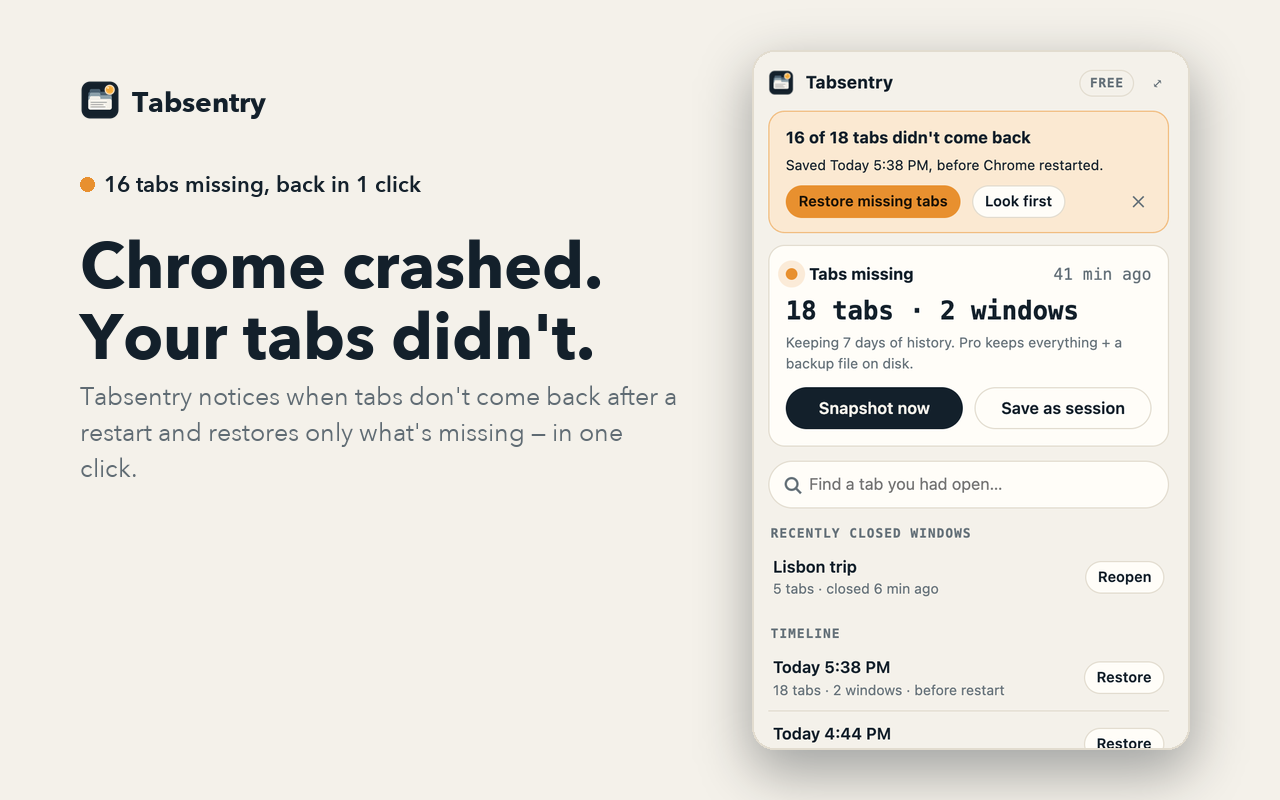
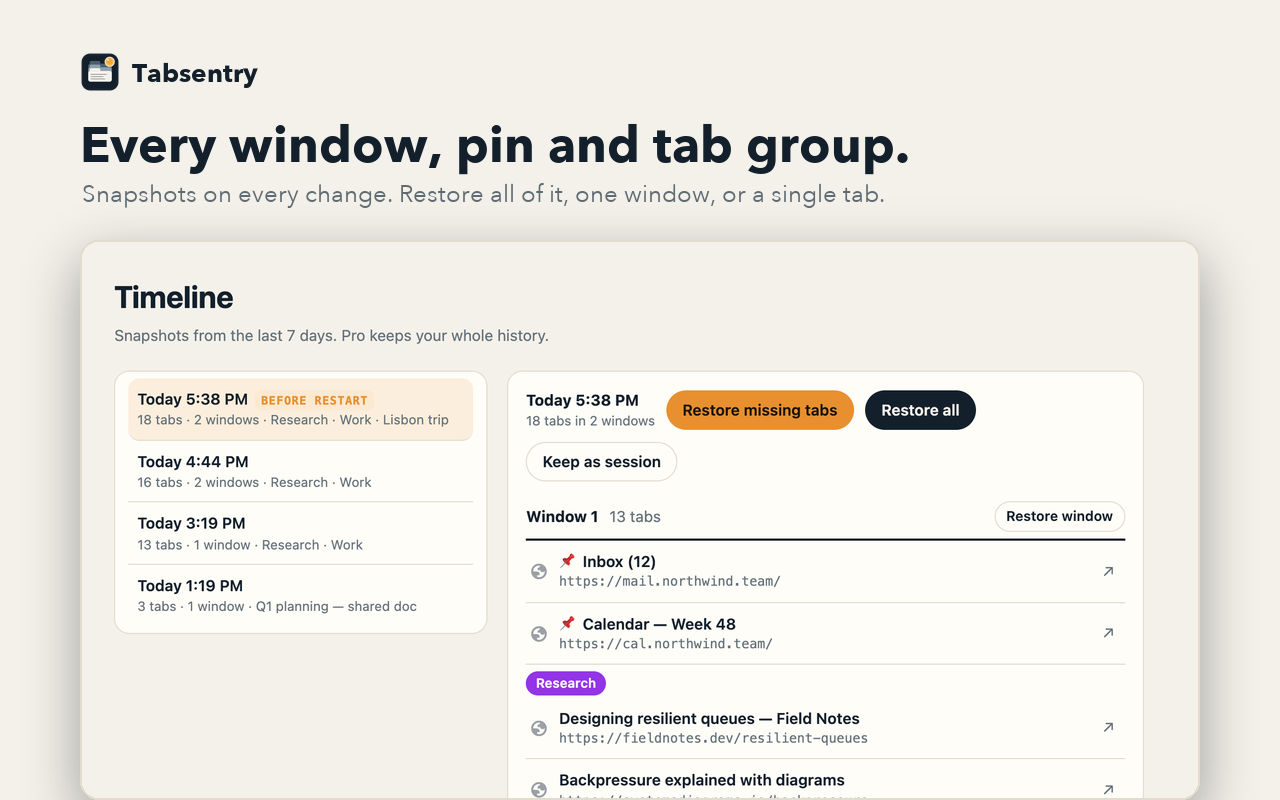
Tabsentry quietly snapshots every window, pinned tab and tab group as you work. If Chrome restarts without them, the icon turns amber and one click brings back only what's missing.
No account. Nothing leaves your computer. Imports from OneTab and Session Buddy.
Session managers make you remember to press Save. Tabsentry assumes you won't.
| Free | Pro | |
|---|---|---|
| Automatic snapshots of windows, tabs, pins, tab groups | ✓ | ✓ |
| Crash & restart detection, one-click “restore missing tabs” | ✓ | ✓ |
| Load-on-click restore for big sessions | ✓ | ✓ |
| Search across history · import from OneTab, Session Buddy, JSON · export | ✓ | ✓ |
| History kept | 7 days | Forever |
| Saved sessions | 5 | Unlimited |
| Closed windows remembered | 5 | 50 |
| Automatic backup file outside Chrome | — | ✓ |
| Remove duplicate tabs from sessions | — | ✓ |
If Chrome reopens without your tabs, Tabsentry notices within about 20 seconds: the toolbar icon shows an amber “!” and a notification appears. Click Restore missing tabs. Only the tabs that aren't open yet come back, in their original windows and tab groups. You can also open the vault and pick any earlier snapshot.
Tabsentry can't recover data another extension deleted, but you can import whatever export you still have (OneTab text, Session Buddy or Tab Session Manager JSON, or a plain list of links) and stop it from happening again. Pro's backup file lives outside Chrome's extension storage, which is exactly the storage that gets wiped when things go wrong.
No. Snapshots stay in your browser's local storage (and in your Downloads folder if you use Pro's backup file). The only network request Tabsentry ever makes is to Polar's license server, and only if you enter a Pro key. Incognito windows are never recorded. Privacy policy.
No. Snapshots are taken a few seconds after changes settle, building one takes milliseconds even with thousands of tabs, and identical states aren't stored twice. Large restores use load-on-click placeholders.
It's built for Chrome 116+ and uses only standard extension APIs, so Chromium browsers that install from the Chrome Web Store should work. Tab group support depends on the browser.
If Pro doesn't work for you, open an issue or reply to your receipt within 14 days and you'll get a refund.
chrome://extensions (Edge: edge://extensions, Brave: brave://extensions).